
Audiobook to Video
Convert your audiobooks and podcasts into video formats ready for YouTube. Add background images and export beautiful audio-driven videos.
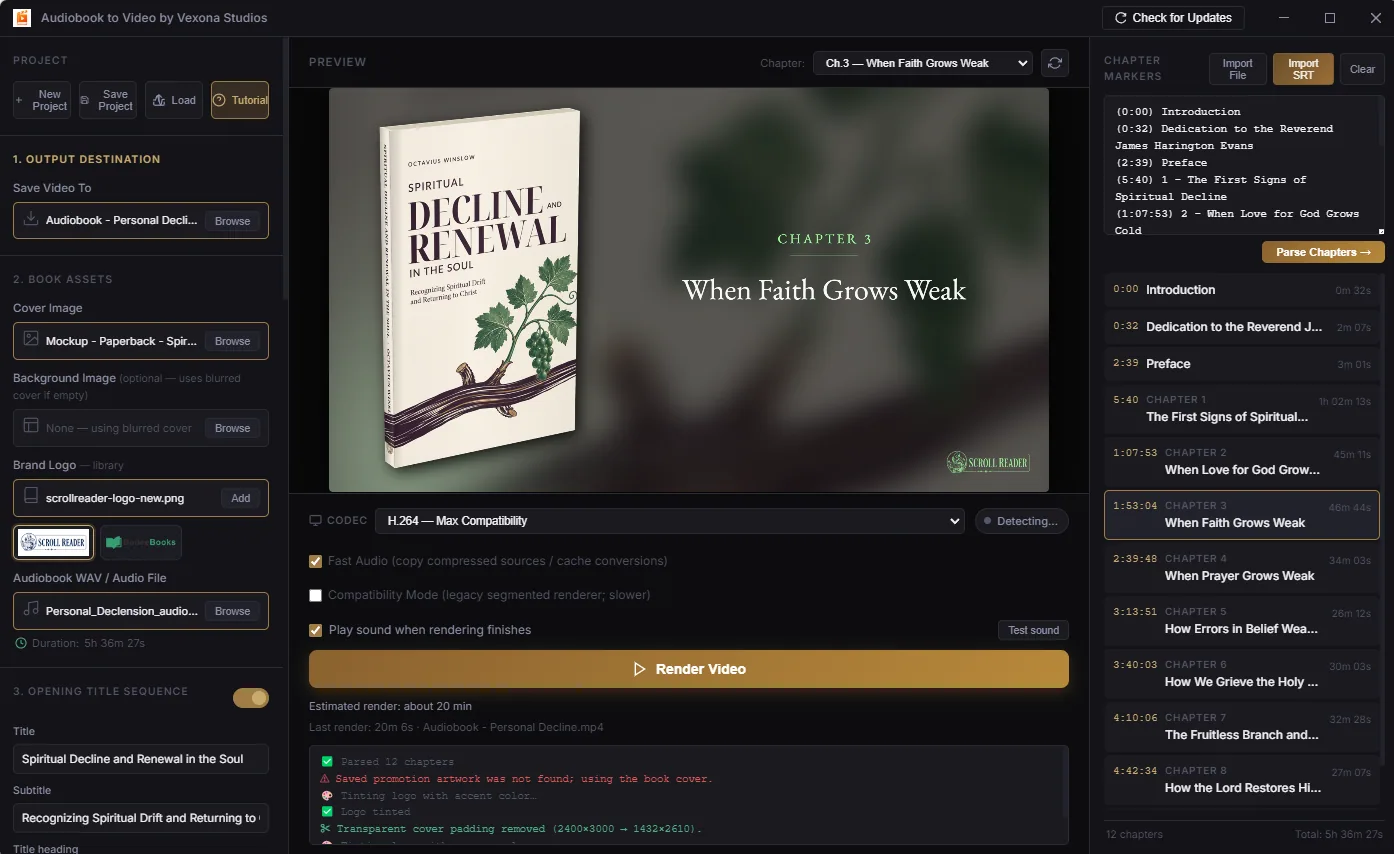
Easily prepare your audio for video platforms.
Easily convert audio-only formats into standard MP4 videos acceptable on YouTube and other video platforms.
Add custom cover art or static background images to pair with your audiobook or podcast.
Enhance your videos with dynamic audio visualizations to keep viewers engaged.
Supports MP3, WAV, M4A, FLAC, and more. Mix and match with image assets effortlessly.
Optimized encoding means your videos render quickly and efficiently on your local machine.
Import chapter markers and preview chapter titles alongside your cover art before rendering.
Create your video in minutes.
Import your audiobook, podcast episode, or any audio track into the app.
Upload a cover image or background art that will display throughout the video.
Adjust resolution, frame rate, and optional waveform visualization settings.
Click export and your high-quality MP4 video will render locally on your machine.
Your audiobook, ready for the screen.
A paid release is planned.
Public downloads are currently unavailable. Pricing and availability will be announced here.