Set the church identity
- Enter the Site Title and Tagline. Upload your logo and choose a primary color.
- If you want text beside the logo, enable its title/tagline display setting. Mobile can use the saved acronym.
- Use a local PNG or JPG at least 512 pixels wide for clear app icons. A separate WordPress Site Icon takes priority for square icons.
- Save All Options, purge page caches, and check the public site. Review App Icons & Shortcuts; use Retry preparing app icons if the host reports a preparation error.
Logo on dark backgrounds
Open Theme Options > Branding & Logo > Logo on dark backgrounds. Choose Keep original colors, Recolor transparent cutout, or Use a separate dark-background logo.
Recolor uses the uploaded image's transparency and your selected color; it does not edit the original file. Use a transparent PNG, WebP or AVIF cutout, not a photograph or a solid-background logo. Review the live dark-background preview, then choose Save All Options.
The treatment applies to the dark-mode header and dark footer. The light-mode header and app icons keep the original branding. If an alternate image is missing, the original is retained. Purge page caches after changing branding.
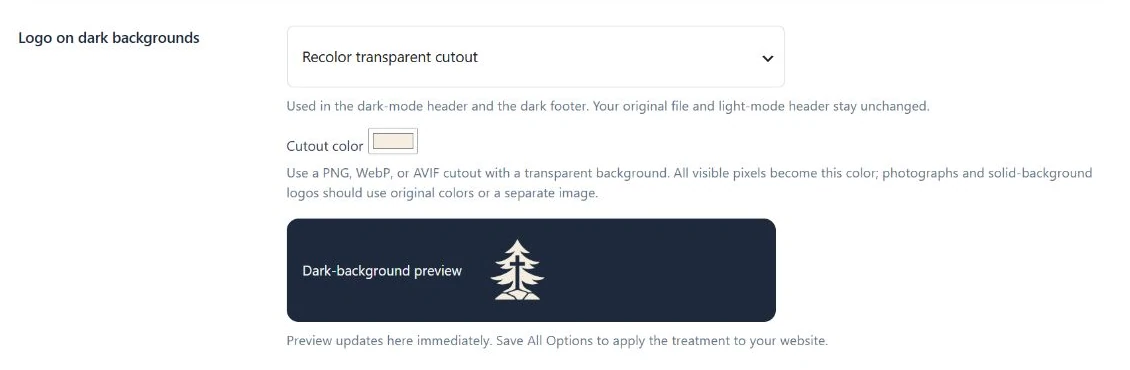
- Choose original, cutout recoloring, or an alternate image.
- Choose a readable cutout color.
- Review the dark preview, then Save All Options.
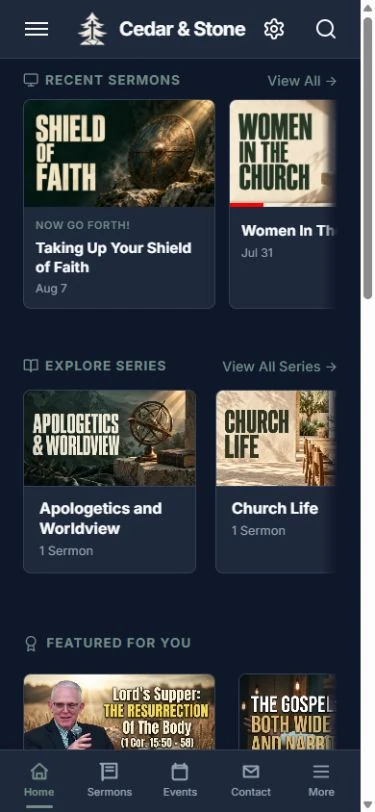
Check both appearances
After saving and clearing page caches, open the public site in light and dark mode. Confirm the logo is readable in the header and footer. Check a small screen as well as desktop.
A photograph or logo with a solid background should use Keep original colors or a separate dark-background image rather than cutout recoloring.