Enable your church homepage
- Save any pending Theme Options changes first.
- Open Theme Setup or Theme Options → Page Layouts and choose Use Grace as my homepage.
- Grace reuses a published homepage or creates Home and assigns it in Reading. Existing body content, posts, menus, and the posts-page assignment are kept.
- Choose your Homepage Layout and Save All Options. To show normal page content instead, use Prefer WordPress page content?.
Choose a homepage and arrange its rows
Open Theme Options > Page Layouts, choose a Homepage Layout, then Save All Options. Homepage, single-sermon, and events layouts are separate choices.
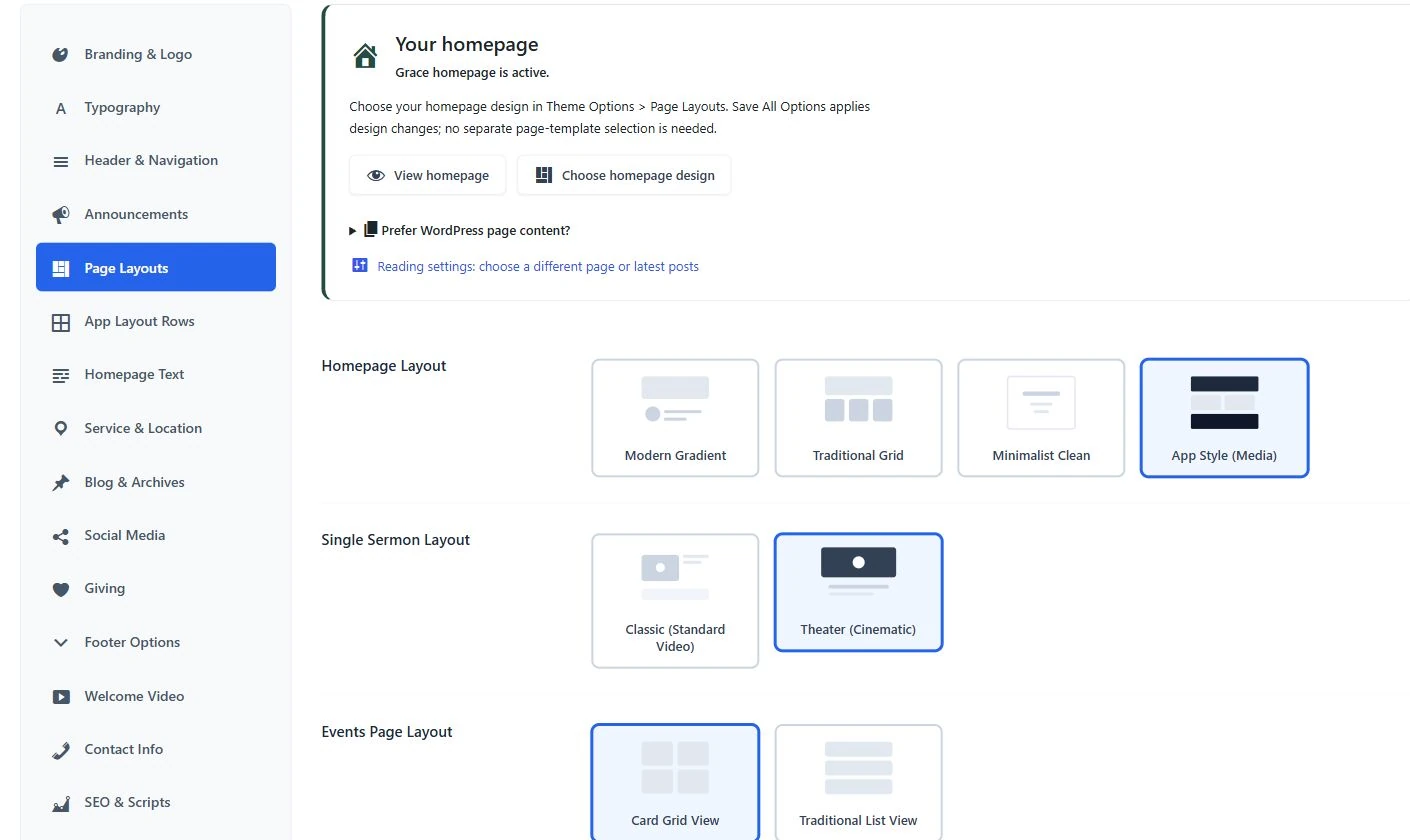
- Choose one homepage design.
- The single-sermon layout is a separate setting.
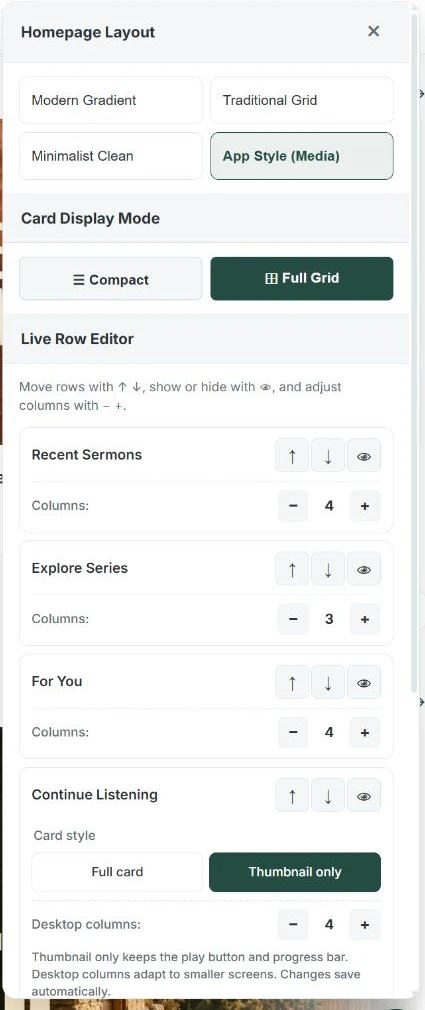
- Move rows with the arrows; use the eye to change visibility.
- Adjust the desktop column count.
- Choose the Continue Listening card style.
Adjust the App-style homepage
- While signed in with permission to manage theme options, open the homepage's layout/settings panel.
- Move rows with the up and down arrows. Use the eye button to show or hide a row.
- Use minus and plus to change the desktop column count. Smaller screens adapt automatically.
- For Continue Listening, choose full cards or thumbnail-only cards. The row needs playback history to appear for a visitor.
Changes in this live panel save automatically. The separate Theme Options > App Layout Rows screen uses Save All Options.
Example visitor view
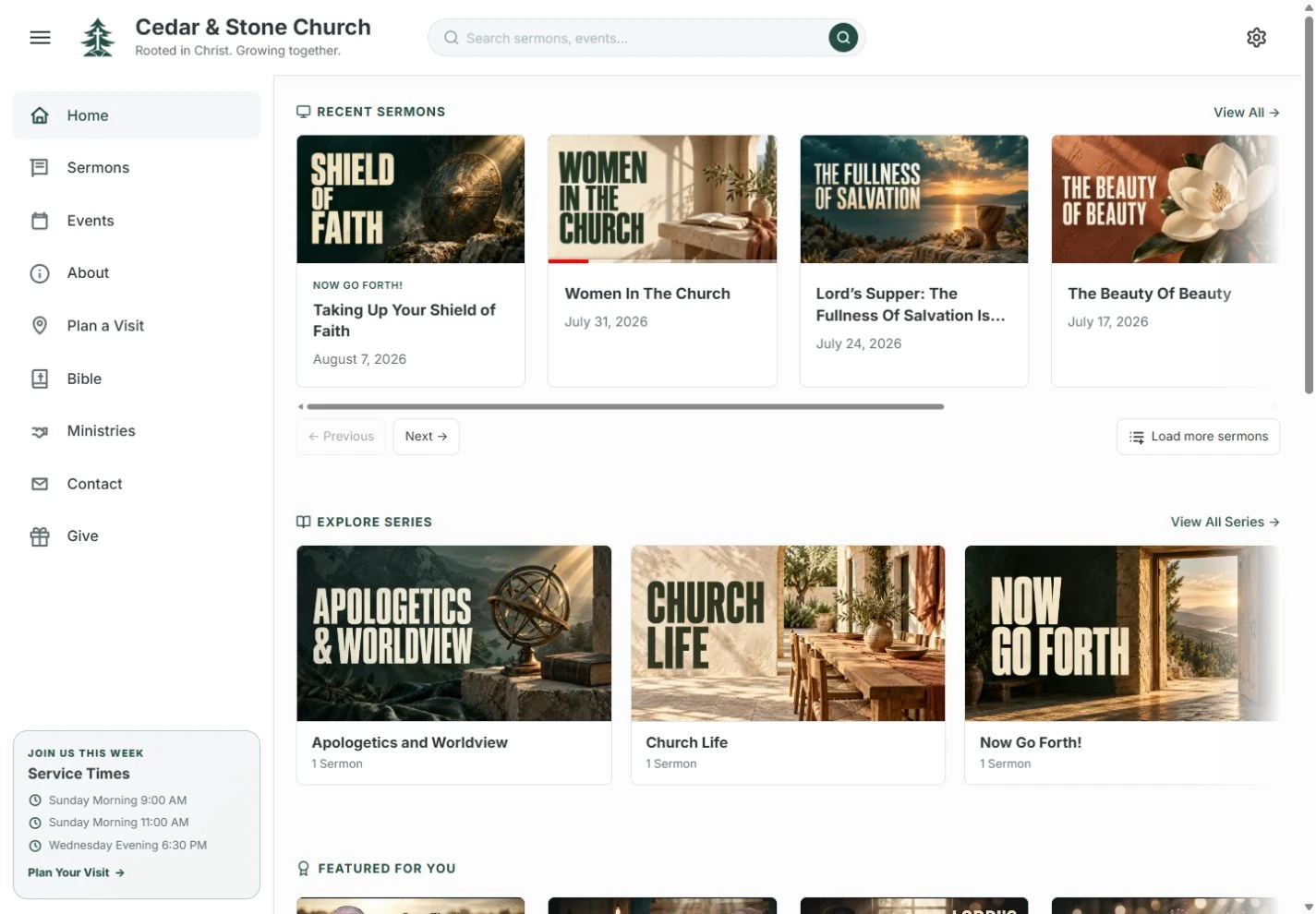
Recent Sermons needs published eligible sermons. Continue Listening needs this visitor's playback history. For You may hide when no distinct recommendations remain. More rows are not automatically more useful; enable only the ones your church needs.